
MLO Mergers and Acquisitions
Once your institution has gone through the Mergers & Acquisition process in NMLS and has indicated your transfer of employment, you will receive a system generated email instructing you to log into your individual NMLS account and accept or deny the transfer.
About this task
The mergers and acquisitions functionality in NMLS allows an institution to easily transfer the employment records of registered mortgage loan originators that have come to work for that institution as the result of a merger, acquisition or corporate reorganization.
Note: If you have changed employers as due to a merger, acquisition or corporate
reorganization, you should await instructions from your new employer before making
any amendments to your NMLS record.
Procedure
- Navigate to the NMLS Login page (Federal Context).
-
Log in to your NMLS account.
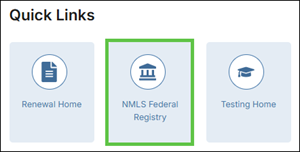
Note: If you are landed on the NMLS Connect screen, select NMLS Federal Registry in the Quick Links section.
-
Select the Federal context, if the
Context screen is displayed.
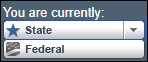
Note: Be sure you are in the Federal context by selecting Federal from the You are currently drop down list. Your screen should display the Federal Registry watermark.
- Select
- Select the edit icon next to the Institution name.
-
You will be prompted to Accept or
Deny the transfer of employment.
Note: If you Deny the transfer, you will not be associated with the acquiring institution unless further action is taken by the company.
- If you Accept the Transfer, select Accept.
- Check the verification box and select Attest.