
Amending an MU4R
An MU4R may require amendment for any of the following reasons: revisions required by your employer; changed information on your record; events occur requiring updates to disclosures.
About this task
Prior to submitting an amended filing, contact your employing institution if you are unsure of their policy on processing MU4R amendments on NMLS.
Procedure
- Navigate to the NMLS Login page (Federal Context).
-
Log in to your NMLS account.
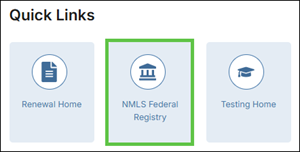
Note: If you are landed on the NMLS Connect screen, select NMLS Federal Registry in the Quick Links section.
-
Select the Federal context, if the
Context screen is displayed.
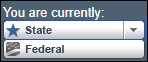
Note: Be sure you are in the Federal context by selecting Federal from the You are currently drop down list. Your screen should display the Federal Registry watermark.
-
To view your MU4R information and determine if it needs to be updated:
-
If information should be updated or corrected, follow these steps to amend
your MU4R: