
Granting Access to Your Employing Institution
How a federally registered MLO grants access to their employing institution in NMLS.
Before you begin
About this task
Procedure
- Navigate to the NMLS Login page (Federal Context).
-
Log in to your NMLS account.
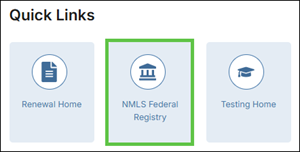
Note: If you are landed on the NMLS Connect screen, select NMLS Federal Registry in the Quick Links section.
-
Select the Federal context, if the
Context screen is displayed.
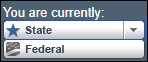
Note: Be sure you are in the Federal context by selecting Federal from the You are currently drop down list. Your screen should display the Federal Registry watermark.
-
Select from the menu.
The Institution Access screen is displayed.
- Click the Add button.
- Search for your employing institution using their NMLS ID number, legal name, or state.
- Select the checkbox for the institution you wish to grant access to.
- Click the Save button.
Results
The institution is granted access to your record. Access allows an institution to view your record and submit a filing on your behalf. Any submission requires your review and attestation.