
Attesting and Paying for NMLS Annual Renewal for Company Licenses or Registrations
Submit payment for annual license or registration renewal in NMLS using accepted payment methods and confirm fees before completing the transaction.
About this task
All renewal requests must be paid before submission is complete. NMLS accepts payment by credit card (Visa® or Mastercard®, subject to a service fee) and ACH. Companies should verify all fees before submitting payment to avoid errors or delays.
For details on accepted payment methods, see NMLS Payment Options. For information on service charges and other system fees, see NMLS Processing Fees.
Procedure
- Navigate to the NMLS Login page (State Context).
- Log in to your NMLS account.
-
Navigate to the Renewals Tab page in NMLS
Classic.
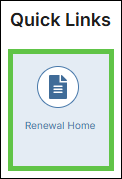
- Select Renewal Home in the Quick Links
section.
- Select the Renew link next to the relevant license in the
My Licenses section.

You are navigated to NMLS Classic on the Renewals Tab. - Select Renewal Home in the Quick Links
section.
- Select Pay for Renewal from the left navigation panel.
- Review all licenses in the cart. Select Proceed to Invoice to see a complete breakdown of fees.
-
Select Pay Invoice and select a payment method.
Note: Credit card payments incur a service fee. ACH payments do not include a service fee.
-
Follow the prompts to enter payment details and submit payment.
Once payment is confirmed, the renewal request is officially submitted.