
Requesting NMLS Annual Renewal for Company Licenses or Registrations via the Renewal Dashboard
Submit license or registration renewal requests through the NMLS Renewal Dashboard by selecting licenses, confirming eligibility, and completing the renewal submission process.
About this task
The Renewal Dashboard is designed for companies with many licenses to renew at once. It provides a consolidated view of company, branch, and sponsored individual licenses that are eligible for renewal. From this dashboard, companies can select licenses, view their eligibility, and proceed directly to submission and payment.
Procedure
- Navigate to the NMLS Login page (State Context).
- Log in to your NMLS account.
-
Navigate to the Renewals Tab page in NMLS
Classic.
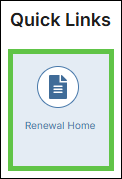
- Select Renewal Home in the Quick Links
section.
- Select the Renew link next to the relevant license in the
My Licenses section.

You are navigated to NMLS Classic on the Renewals Tab. - Select Renewal Home in the Quick Links
section.
- Select View by State Agency or View by Location from the left navigation panel.
- Filter the selected dashboard to see the licenses you want to renew.
- Select the checkbox for the licenses you want to renew.
- Select the Apply Selections button.
- Select the Proceed to Cart button.