
Attesting to Annual Renewal Requests Submitted by Sponsoring Company
Explains how state-licensed individuals attest to a renewal request submitted by their sponsoring company during the renewal period.
About this task
Procedure
- Navigate to the NMLS Login page (State Context).
-
Log in to your NMLS account.
Note: If you are landed on the NMLS Classic screen:
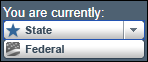
- Ensure you are in the State context by selecting State from
the You are currently drop down list.
- Select the NMLS Connect tab to manage your individual filing.
- Ensure you are in the State context by selecting State from
the You are currently drop down list.
-
Navigate to the Renewals Tab page in NMLS
Classic:
- Select Renewal Home in the Quick Links section.
- Select the Renew link next to the relevant license in the
My Licenses section.

The Renewals Tab in NMLS Classic is displayed. - Click the Attest for Company button.
- Select the licenses that you are attesting to renewal for.
- Select the Next button.
-
If prompted, authorize any required criminal background checks or credit checks.
Note: See Completing the Criminal Background Check Process for more information.
- Select the Next button.
- Select I verify that I am the named person above and agree to the language as stated.
- Select the Attest button.