
Requesting NMLS Annual Renewal for MLO Licenses from the Renewal Selection List
Learn how to request annual renewal of Mortgage Loan Originator (MLO) licenses by selecting individuals from the Renewal Selection List within NMLS.
About this task
For companies that employ MLOs, individual licenses display on the dashboard only if the following criteria are met:
- The individual has attested to their record for the corresponding regulator
- Licenses are in a renewal-eligible status
- Licenses are NOT marked as Prevent Renewal by the regulator
- Individual reflects as “Compliant” for required CE hours on the Course Completion and Compliance Record in NMLS
- Company is actively sponsoring the individual’s licenses that are eligible for renewal
- License renewal requests were not previously submitted for the current year
Procedure
- Navigate to the NMLS Login page (State Context).
- Log in to your NMLS account.
-
Navigate to the Renewals Tab page in NMLS
Classic.
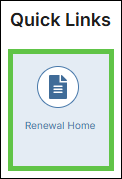
- Select Renewal Home in the Quick Links
section.
- Select the Renew link next to the relevant license in the
My Licenses section.

You are navigated to NMLS Classic on the Renewals Tab. - Select Renewal Home in the Quick Links
section.
- Select the Submit Sponsored Individual(s) link from the left navigation panel.
- Filter the selected dashboard to see the licenses you want to renew.
- Select the checkbox for the licenses you want to renew.
- Select the Apply Selections button.
- Select the Proceed to Cart button.