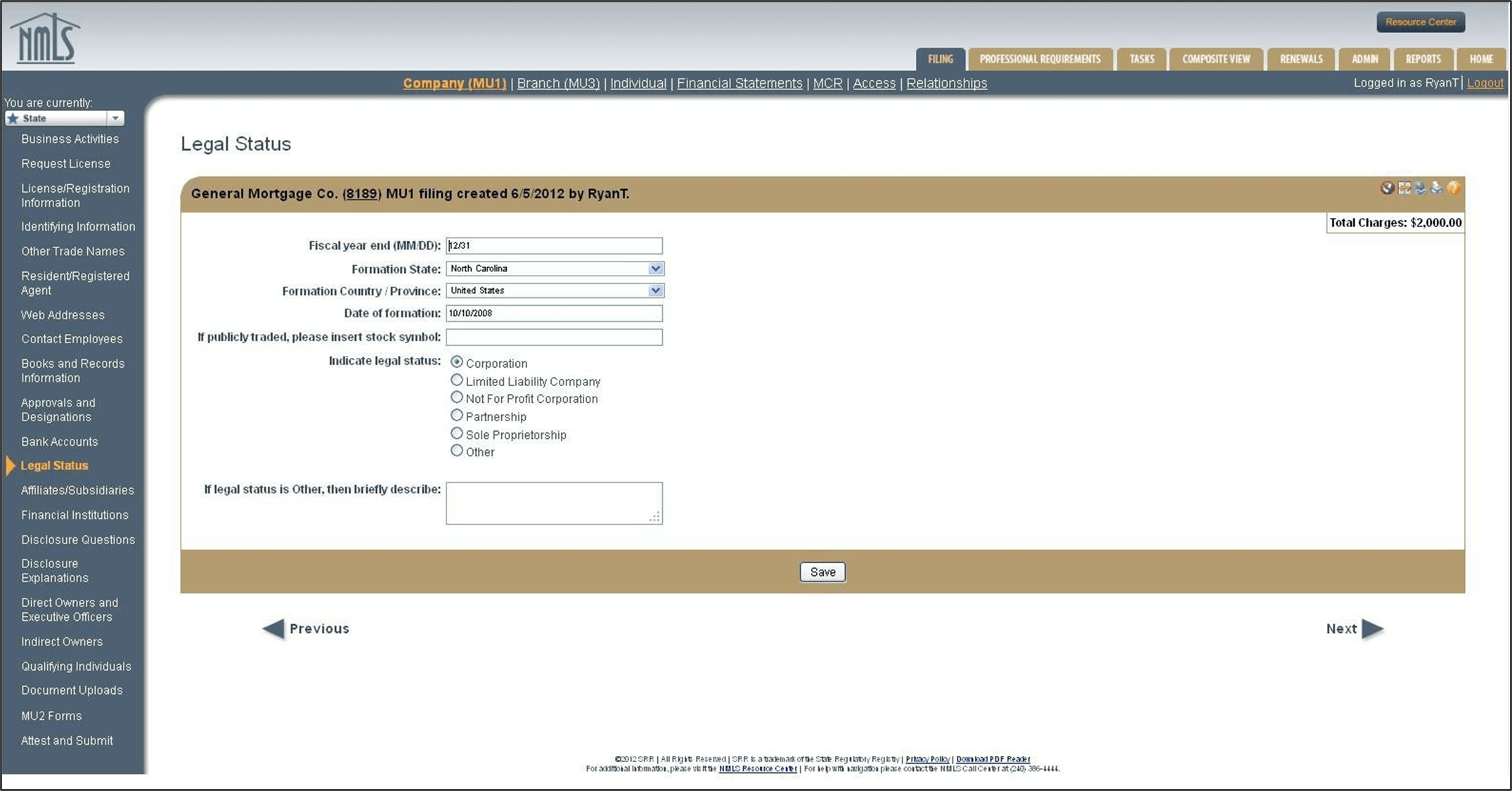
Legal Status*
In addition to entering the information in this section, applicants and licenses may upload supporting documentation (e.g. formation documents) through the document uploads section of this filing.
Fiscal Year End
The applicant or licensee should enter the month and day of the end of its corporate fiscal year. Sole proprietorships should enter 12/31 for fiscal year end.
Formation State
The applicant or licensee should enter the state in which the legal status of the corporate entity was obtained. This information can be found on the company’s incorporating documents. Sole proprietorships must leave this field blank. If an applicant was formed outside the U.S., leave this field blank.
Formation Country/Province
The applicant or licensee should enter the formation country or province of the corporate entity. This information can be found on the company’s incorporating documents.
Date of Formation
The applicant or licensee should enter the month, day, and year in which the company was legally formed. This information can be found on the company’s incorporating documents. This must be in the MM/DD/YYYY format. Sole proprietorships must leave this field blank.
If publicly traded, please insert stock symbol
A stock symbol is a combination of letters.
Indicate Legal Status
If a state is a community property state, the state’s licensing requirements may outline additionaldetails for spouses of sole proprietors. Some states distinguish between S- and C-corporate organizations.
In addition to the Company Form (MU1), a sole proprietor of the sole proprietorship must complete the Individual Form (MU2). The Company Form (MU1) is completed in terms of the sole proprietorship as a business entity and the Individual Form (MU2) is completed in terms of the natural person. If the state requires a sole proprietor to also hold a loan originator’s license, then the sole proprietor must also complete the Individual Licensing Form (MU4).
Amendments to the Fiscal Year End, Legal Status, and State or Date of Formation
NMLS allows amendments to the Fiscal Year End (FYE), legal status, and state or date of formation. It does not allow amendments to the company’s EIN without contacting the NMLS Call Center at 1-855-NMLS-123 (1-855-665-7123) . In many cases, a change to the FYE, legal status, and state or date of formation indicates a new entity has been formed and a new NMLS record is required. (See Tool Tips to Determine if a New Record is Required.)