
Attest and Submit
The Submit Filing button will only appear if the Company Form (MU1) passes all completeness checks, including Individual Form (MU2) attestations.
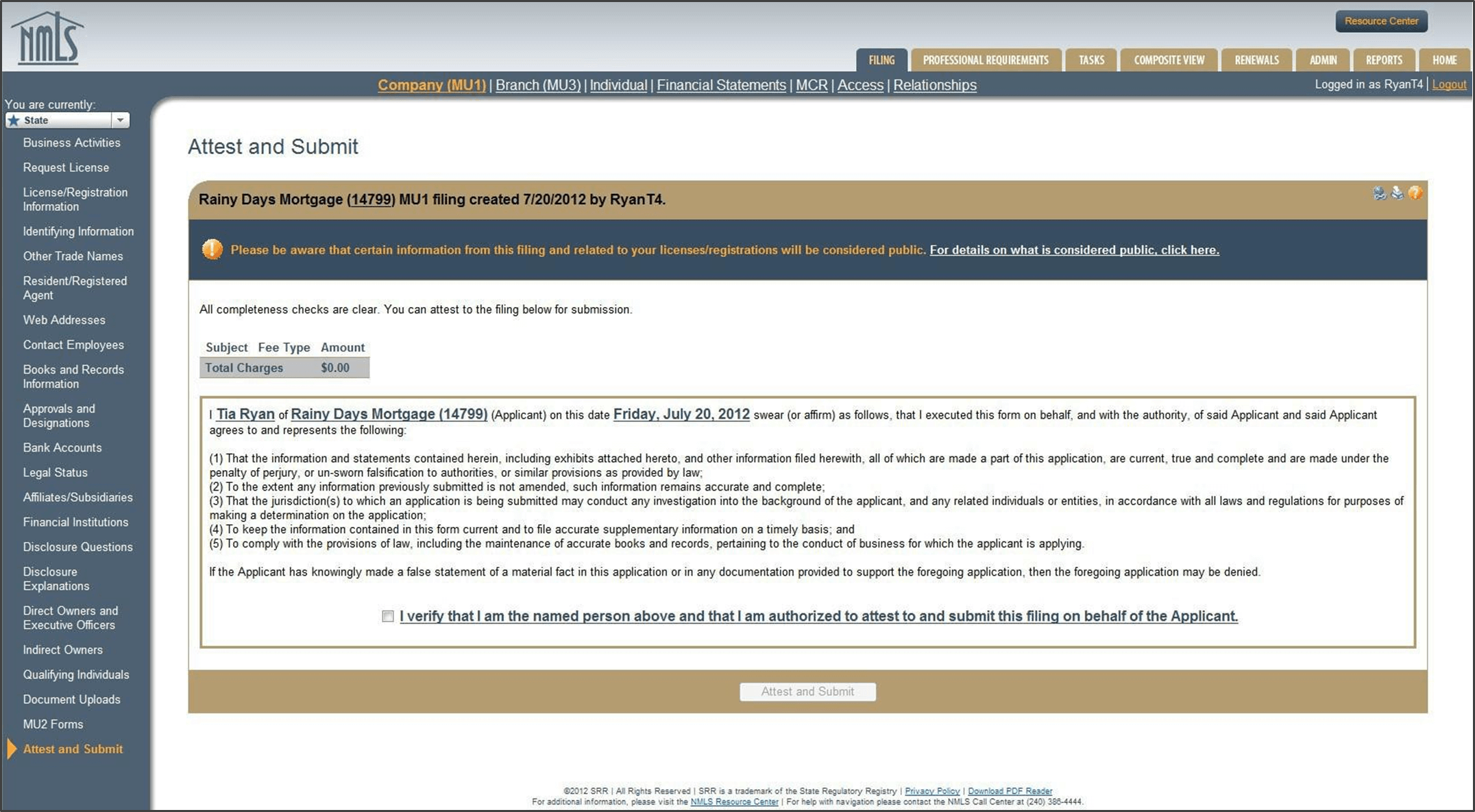
The Attestation must include the name of a natural person after the I. The applicant or licensee’s name should appear after the of.
Company attestations must be performed by an actual employee of the company.
When clicking the Submit Filing button, applicants and licensees are making a legal attestation to all states in which they are applying for or maintaining a license through NMLS.
After clicking the Attest and Submit button, the applicant or licensee is taken to a one-time payment page to make an electronic payment for the filing. Once the payment information has been successfully submitted the filing becomes viewable by the regulator(s). Payments can only be made by Visa or Mastercard or by ACH transfer.