
Example Four: Associating a State Regulatory Action (SRA) to a Disciplinary Action
MLOs that need to disclose a Disciplinary Action that has already been tied to their NMLS record by a State Regulator will be able to reference that existing Action.
About this task
This process is an exception and does not apply to the majority of federally registered MLOs.
Important: Make sure that personally identifiable
information such as date of birth, social security number, residential address,
personal telephone number or e-mail address are redacted and/or not included in the
uploaded documents.
Procedure
- Navigate to the NMLS Login page (Federal Context).
-
Log in to your NMLS account.
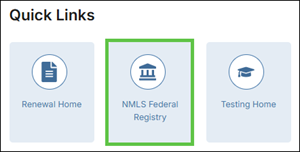
Note: If you are landed on the NMLS Connect screen, select NMLS Federal Registry in the Quick Links section.
-
Select the Federal context, if the
Context screen is displayed.
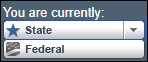
Note: Be sure you are in the Federal context by selecting Federal from the You are currently drop down list. Your screen should display the Federal Registry watermark.
- Click Add on Disciplinary Actions page.
- Select applicable SRA.
- Select Associate SRA.
-
Provide Brief Description of Disciplinary Action.
Important: Do not include personally identifiable information such as date of birth, social security number, residential address, personal telephone number or e-mail address.
- Optional: Provide Disciplinary Action Detail, if the MLO chooses to do so.
- Associate Applicable Question.
- Select Save.