
Uniform Authorized Agent Reporting (UAAR)
Uniform Authorized Agent Reporting (UAAR) assists regulators with the supervision and monitoring of money services businesses and their authorized agent / delegate locations, which may include company owned branch locations.
The NMLS UAAR process allows licensed money service businesses to file a single uniform report of their authorized agent / delegate locations through NMLS to all participating state agencies. Reporting through NMLS replaces these states’ reporting requirements. However, applicants are encouraged to review their state regulator’s checklist to make sure all reporting requirements are met.
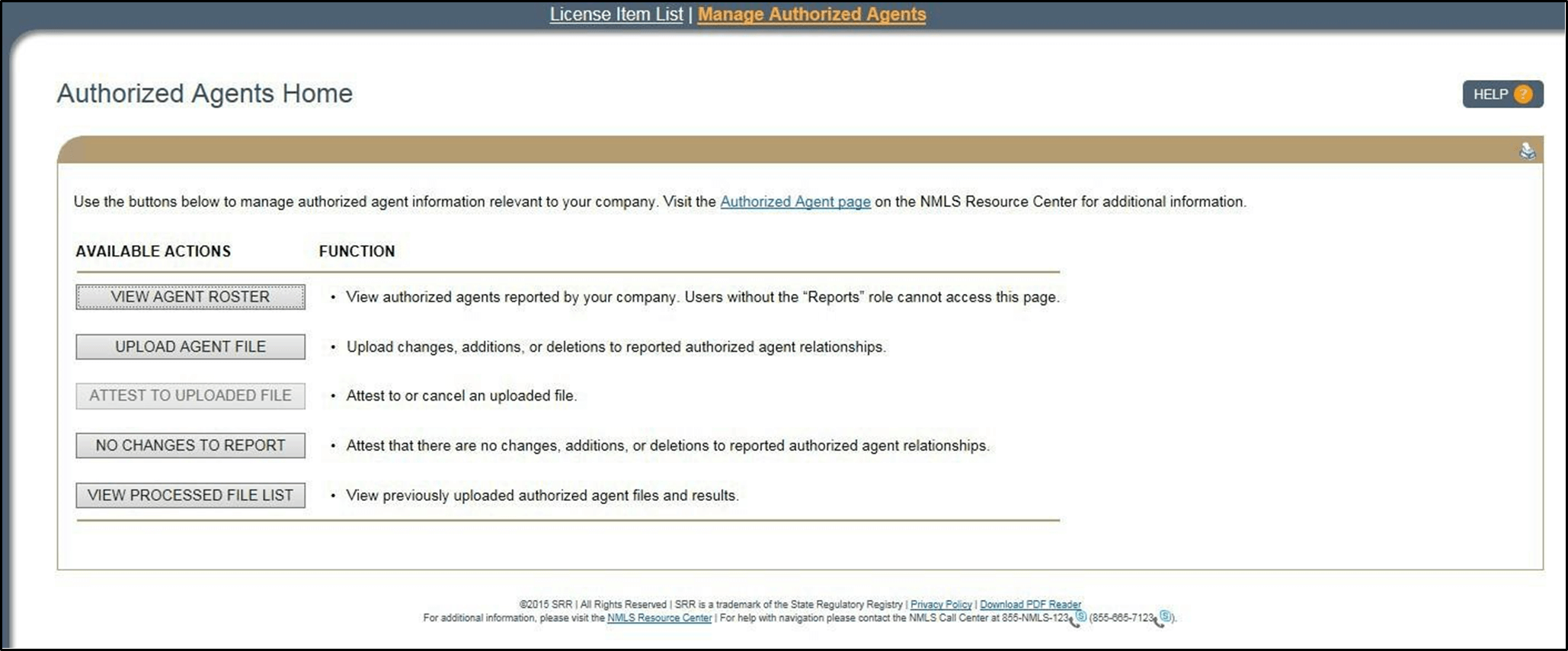
Money services businesses submit periodic reports based on the state’s reporting requirements regarding authorized agents by uploading an authorized agent file via a CSV template file for their company. Reporting includes any changes to current authorized agent / delegate locations or reporting no changes to current authorized agent locations.
- New authorized agent locations
- Updates to existing authorized agent locations
- Terminated authorized agent locations
The UAAR functionality is a living database of the licensee’s locations, which may include those that are company owned branch locations. When completing updates only the updated agents should be included in the upload file. The UAAR quarterly reporting license item requires that updates or a confirmation of No Changes to Report be submitted within 45 days of the license item being placed on the licensee’s record. An upload of any state UAAR will clear the license item. States with more frequent reporting requirements are communicated to the licensee on the checklist.
If there are no new additions, terminations, or changes to your company’s current authorized agent / delegate locations, the No Changes to Report functionality allows the company to legally attest to this effect and meet its reporting requirement(s).
In some cases, a company has no Authorized Agents to report but still has a reporting obligation. For their initial submission the button will read as No Agents to Report. Once the company has fulfilled their initial reporting obligation, the No Changes to Report option is presented.
A company that has no agent locations to report should select the No Agents to Report button on the Authorized Agent Home page. For licensees with no agents, a quarterly confirmation that there are no agents must be completed. The company should click No Changes to Report and attest. State agencies need to know which licensees use Agent locations and those that do not.
Only companies with a prior Company Filing and a MSB license type in a pending, approved, surrendered, or terminated status are permitted to upload an Authorized Agent file.