Mortgage Call Report Components
Components which the system has determined are required, based on licenses status and obligations, are automatically rendered on this screen. Companies may add additional components to satisfy additional requirements.
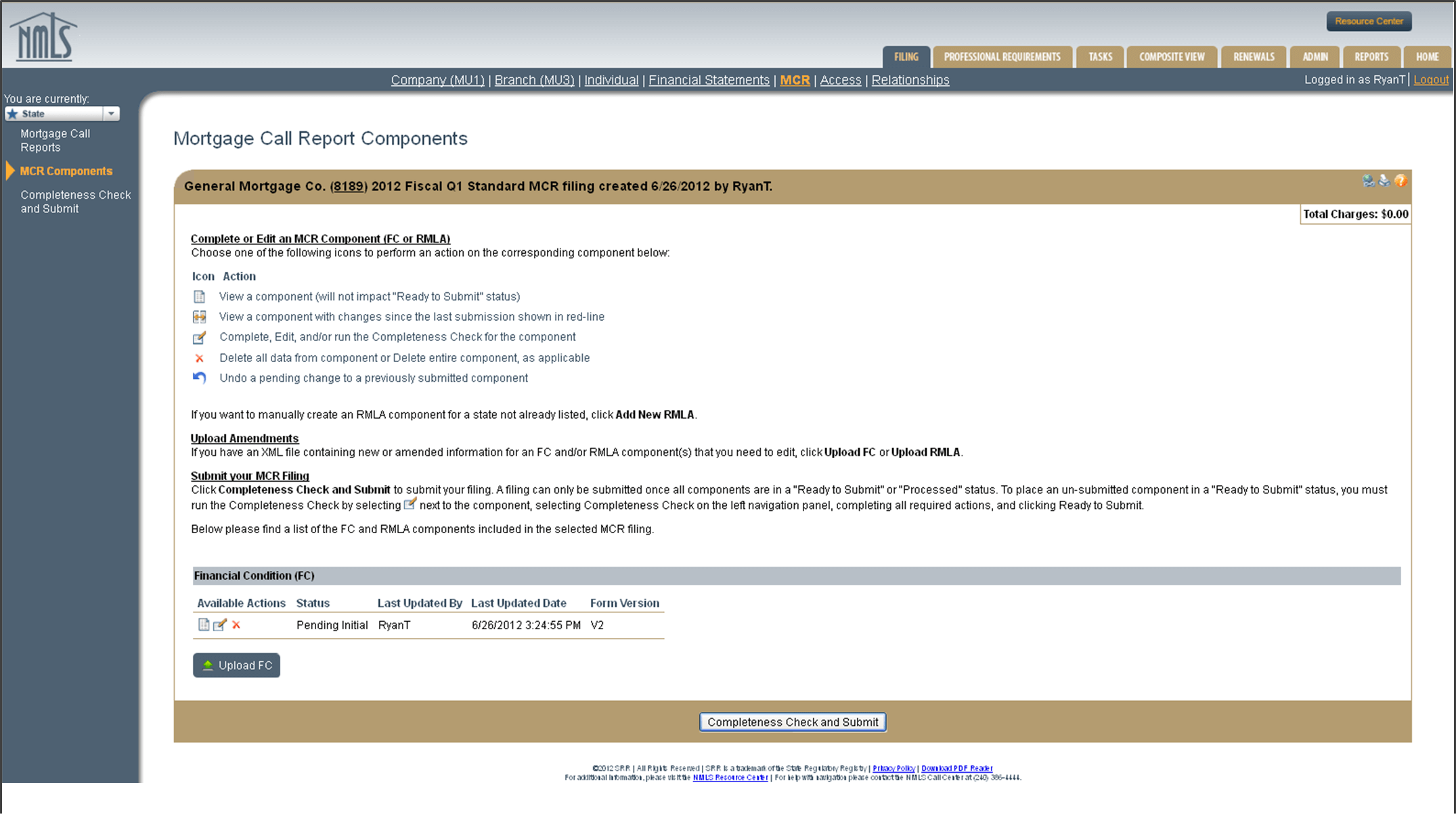
The Mortgage Call Report (MCR) Components screen lists all available MCR Components associated with an MCR Filing.
MCR filings contain two components: the Financial Condition (FC) and the Residential Mortgage Loan Activity Report (RMLA).
Financial Condition
The Financial Condition (FC) contains the company’s financial data. For Standard filers, the FC is required to be filed annually, no later than 90 days after the fiscal year end. For Expanded filers, the FC is filed quarterly. For information on who qualifies as a Standard or Expanded filer, please see Mortgage Call Report (MCR) User Guide (v6).
Residential Mortgage Loan Activity (RMLA)
The RMLA contains information about the mortgage activities for a company and its Mortgage Loan Originators (MLOs). The RMLA has two components that contain company-level and state-specific information. The company-level RMLA component contains information related to lines of credit and nationwide servicing information, and is completed once within a filing. It is shared with each state where a company is licensed / registered. The state-specific RMLA components, which are completed for each state where a company is licensed/registered, collects application, closed loan, individual MLO, Line of Credit, servicing, and repurchase information by state. If a company holds licenses in multiple states, it will need to complete a single company- level RMLA, and a state-specific RMLA component for each state it’s licensed in, even if there was no activity during the reporting period. The RMLA is required to be filed quarterly for both Standard and Expanded filers. Companies can submit the RMLA for additional states if necessary.
NMLS will determine the required filing type based on the year and period selected as well as the company’s GSE-approval status (Fannie Mae or Freddie Mac Seller/Servicer or a Ginnie Mae Issuer).
Companies may add additional RMLA component(s) for any state(s) that NMLS did not automatically create based on the company’s licensure/registration status. To add an RMLA component, see Completing the RMLA Component.
Explanatory Notes
The Explanatory Notes section is a text field where a company user can provide additional information to the regulator. This field is optional unless there are outstanding data warning messages as described in the Completeness Checks and Warnings section.
All completeness check errors must be corrected before a component can be marked as Ready to Submit. The presence of data warning messages does not prevent submission of the filing, but you must provide an explanatory note acknowledging that you accept the warnings prior to marking the component as Ready to Submit.
State agencies will often ask for an explanatory note to be provided any time a Mortgage Call Report (MCR) component is amended.
Each component must be in a Ready to Submit status to submit the MCR filing on the Mortgage Call Report Component screen.
File Upload
NMLS provides company users with the ability to submit an MCR filing either through manual data entry within NMLS, or through an upload of a properly formatted XML file to NMLS. The upload feature may be used to create an initial MCR filing, change information on a pending MCR filing, or amend information on a previously submitted MCR filing.