
Completing the Surety Company Limited Account Request
About this task
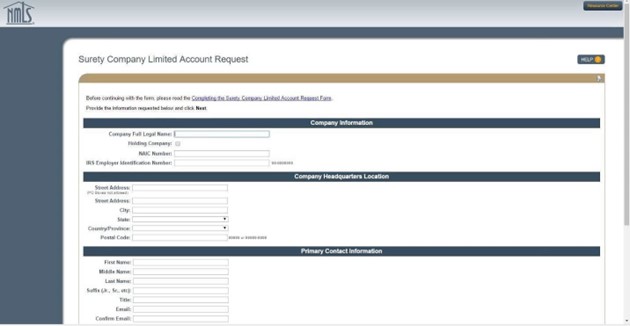
Procedure
-
Complete ALL of the fields on the Surety Company Limited Account
Request screen.
Note: Be sure you have entered your NAIC number and / or EIN correctly and an email address that is readily accessible. You cannot edit the EIN or NAIC number once your record is created without contacting the NMLS Call Center at 1-855-NMLS-123 (1-855-665-7123) .
- Select the Next button.
-
Review the information provided.
- If correct click the Finish button.
- If it is incorrect click the Previous button and correct any information.
Results
Once the Surety Company Limited Account Request has been submitted it will be reviewed by NMLS. The primary contact identified will receive an email from NMLS_Notifications@NMLSNotifications.com within 2–3 business days. The email will inform the applicant of approval or rejection based on verification of the information provided.
Rejection may occur if:
- Legal Name does not match NAIC data
- EIN already exists in NMLS or does not match NAIC data
- NAIC already exists in NMLS or does not match NAIC data
- Data fields appear to be incomplete or erroneous
If the Surety Company Limited Account Request is approved, the Primary Company Contact identified will receive username and password information to access NMLS in separate emails.