
Understand Your Education Record
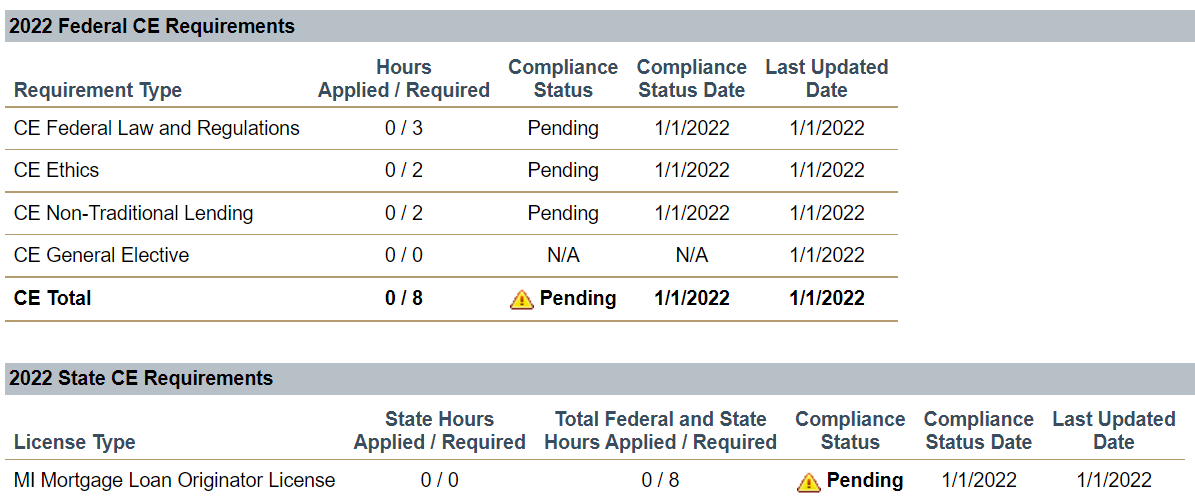
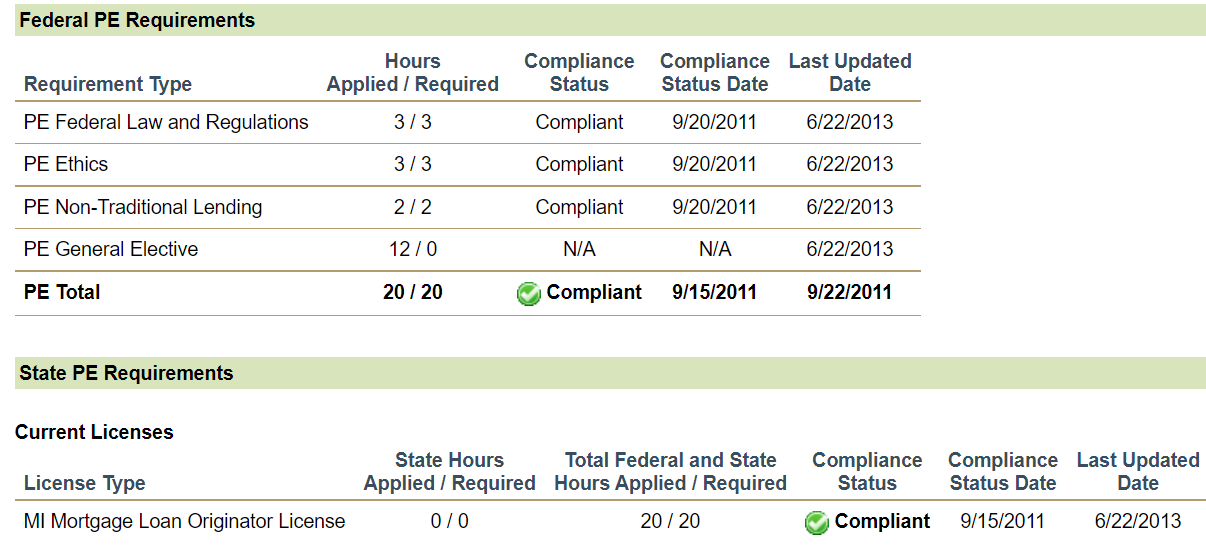
The top of the record displays CE requirements, and the bottom displays PE requirements.
- The top of the record defaults to current year CE requirements.
- The record is organized by year; scroll or click to expand sections to see past years.
- Scroll to the bottom of the page to see PE.
 = Compliant
- You have met requirements.
 = Pending
 - You have not met requirements.
- No Federal/State CE Requirements
- No CE requirement for that year.
- N/A
- Compliance is not tracked in the Federal General Electives category.
- No education records to display.
- No course completions have been reported to NMLS. Check with your course provider if you have completed a course and it is not showing.

See the State-Specific Education Requirements (PE and CE) for detailed education requirements by state agency.